Create Table without using mouse and menus in ms word
| | | |
| | | |
| | | |
| | | |
| | | |
Labels: Cool Tricks, Ms word, Tricks, Tweaks
live in a crazy time..Craze Club,Craze Movies, Crazy Videos and Crazy Pictures,Crazy Pakistani Stage Dramas, Crazy Knowledge, Crazy World News,Crazy facebook wallpapers, Men Women Urban Fashion,Desi Crazy Fashion, Crazy Celebrities, Crazy Online Games, Crazy Wallpapers, Crazy Articles, Crazy Love, Crazy Technology, Crazy Sports, Interesting, Crazy Art,Crazy Information, History etc..
| | | |
| | | |
| | | |
| | | |
| | | |
Labels: Cool Tricks, Ms word, Tricks, Tweaks
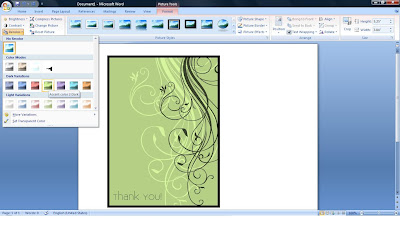
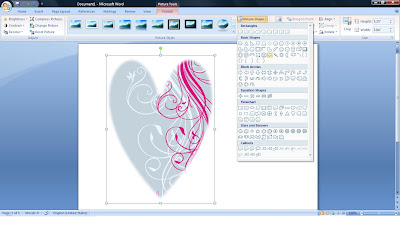
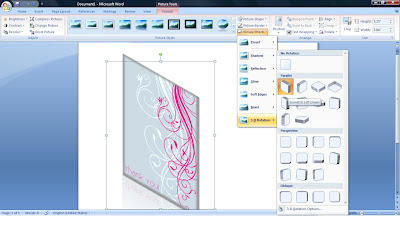
Word 2007 has a ton of great effects that can be added to pictures in your documents, and they are all quickly accessible follow these steps:


Labels: Hacking Tricks, Ms word, pdf, Software, Tricks

Labels: Hacking Tricks, Ms word, Software, Tricks
You can protect your document by applying password so that unauthorized person can not display as well as modify your document.
Labels: Hidden tricks, Ms word, Security, Tricks
Below are some tips to slect text quicky in MS Word, this is really very useful and very handy. This is a great feature of microsoft word and most of the users are unknown of this selecting style. Here are instructions to selct text:Labels: Cool Tricks, Hidden tricks, Ms Office, Ms word, Shortcuts, Tips, Tricks
Labels: Folder Tricks, Hidden tricks, Ms word, Tricks
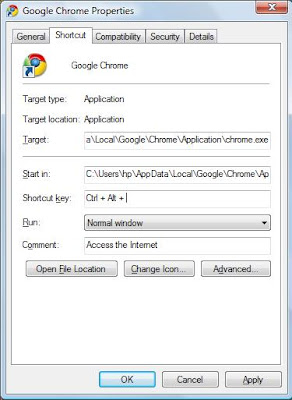
You can create a keyboard shortcut that can automatically open a folder, a program or a word file or any application or browser through your keyboard even when you have other windows like Internet explorer, Office maximized. This is very simple trick and very usful save lots of time. Here are steps:Labels: Folder Tricks, Keyboard, Ms word, Shortcuts, Tricks


Labels: Cool Tricks, Disable, Ms Office, Ms word, Tricks
If you are using any computer application, for example MS Word or MS FrontPage and you did not like blinking of cursor. Now you can stop the cursor from blinking in these applications, for this you have to edit your computer registry keys, but be careful to work with computer registry. Its very simple just follow the given steps to stop cursor from blinking:


Labels: Disable, Ms Office, Ms word, Registry Tweaks, Tricks, Tweaks