Move taskbars
Labels: Tricks, VISTA Tricks, XP Tricks
live in a crazy time..Craze Club,Craze Movies, Crazy Videos and Crazy Pictures,Crazy Pakistani Stage Dramas, Crazy Knowledge, Crazy World News,Crazy facebook wallpapers, Men Women Urban Fashion,Desi Crazy Fashion, Crazy Celebrities, Crazy Online Games, Crazy Wallpapers, Crazy Articles, Crazy Love, Crazy Technology, Crazy Sports, Interesting, Crazy Art,Crazy Information, History etc..
Labels: Tricks, VISTA Tricks, XP Tricks
Labels: System Tricks, Tricks, VISTA Tricks, XP Tricks
Leaving your computer in a hurry want to shutdown it but reallly it takes a lot of time first go to start menu then click on shutdown then click ok on shutdown dialog box. But now you can shutdown your system in 1 click. Create shortcut os shutdown on your desktop, To create shortcut follow these steps:Labels: Cool Tricks, Shortcuts, Shutdown, System Tricks, Tricks, VISTA Tricks, XP Tricks
Labels: Shortcuts, System Tricks, Tricks, VISTA Tricks, XP Tricks
If your computer running slowly or not working properly then there may be some problem in its System files. System files are group of program files that work together to run your computer. These files can be changed or corrupted with time, it may corrupts due to installation of softwares, some internal errors or due to viruses, which makes computer slower.Labels: Cool Tricks, Security, SpeedUpXP, System Tricks, Tricks, VISTA Tricks, XP Tricks
Normally when you move the mouse over the Start Menu or over some Programs, it will automatically cascade and show the submenus. But if you want menus to open submenus only when you actually click on them, then those menus are known as sticky menus so here are steps to make sticky menus, you need to make some changes in regestiry just follow these steps: 
Labels: Registry Tweaks, Start menu, Tricks, VISTA Tricks, XP Tricks
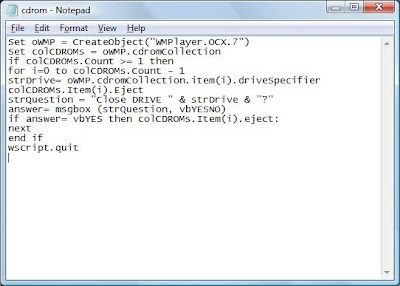
Here is trick to open cdrom in 1 click. For this you have to make a file which when clicked open cdrom. So to make that file follow given steps:
Labels: Notepad, System Tricks, Tricks, Tweaks, VISTA Tricks, XP Tricks
Labels: Internet, Security, System Tricks, Tricks, VISTA Tricks, XP Tricks
In window vista the web browsing and downloading speed is very slow as compare to previous versions of windows. You can open the same sites in windows XP and server 2003 with much better speed. Here are steps to increase internet speed in window vista using browser internet explorer. Just follow these steps:

Labels: Internet, Internet explorer, Tricks, VISTA Tricks
Window vista does not have run command in start menu. Run command is great feature of window xp. So those who upgrade from window xp to window vista may miss run command.


Labels: | cool tricks, Enable, Hidden tricks, Start menu, Tricks, VISTA Tricks
Labels: Display, Start menu, System Tricks, Tricks, VISTA Tricks, XP Tricks
Labels: Display, Tricks, VISTA Tricks, XP Tricks
Labels: Display, Start menu, Tricks, VISTA Tricks
Labels: Display, Keyboard, Tricks, VISTA Tricks, XP Tricks
Do you know that window vista has hidden animation? Most people do not about this, if u dont know then just follow these steps to see that animation.Labels: | cool tricks, Display, Funny Tricks, Hidden tricks, Tricks, VISTA Tricks
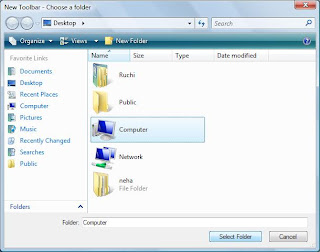
Wanna add my computer on task bar? Do you lwanna access my computer through your taskbar? Then here are steps given to add it in your Task Bar..
Its done.Labels: Cool Tricks, Display, Toolbar, Tricks, Tweaks, VISTA Tricks
A useful feature in Windows Vista, especially for those users who wants to communicate regularly with people in different time zones. If you want to communicate with your co-workers or your family members in different time zones or you are traveling between different time zones then this tip is very useful for you.
Labels: Cool Tricks, Display, Funny Tricks, Hidden tricks, Tricks, VISTA Tricks
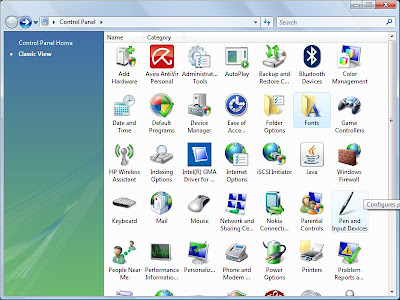
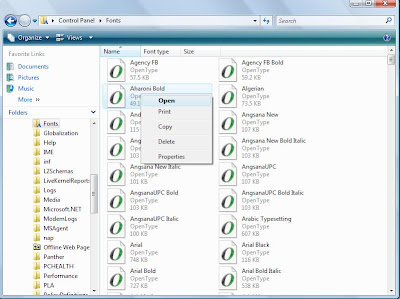
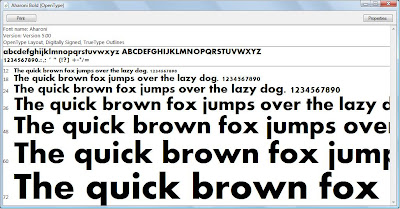
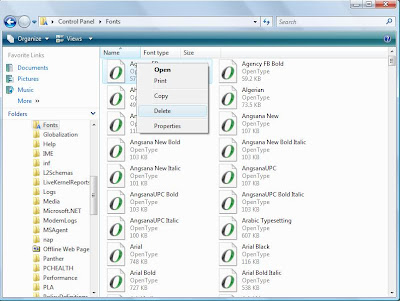
Wanna use some new, different fonts? I you get bored of usual fonts installed in your system and want to try some new fonts then try this, here are steps to install new fonts:


Labels: Delete, Display, Font, Tricks, VISTA Tricks, XP Tricks