Here are list of some useful DOS commands. May be you know some of them and dnt know others. So just go through them.
a
ADDUSERS Add or list users to / from a CSV file.
ARP Address Resolution Protocol
ASSOC Change file extension associations.
ASSOCIAT One step file association.
AT Schedule a command to run at a later time.
ATTRIB Change file attributes.
b
BOOTCFG Edit Windows boot settings.
BROWSTAT Get domain, browser and PDC info.
c
CACLS Change file permissions.
CALL Call one batch program from another.
CD Change Directory - move to a specific Folder.
CHANGE Change Terminal Server Session properties.
CHKDSK Check Disk - check and repair disk problems.
CHKNTFS Check the NTFS file system.
CHOICE Accept keyboard input to a batch file.
CIPHER Encrypt or Decrypt files/folders.
CleanMgr Automated cleanup of Temp files, recycle bin.
CLEARMEM Clear memory leaks.
CLIP Copy STDIN to the Windows clipboard.
CLS Clear the screen.
CLUSTER Windows Clustering.
CMD Start a new CMD shell.
COLOR Change colors of the CMD window.
COMP Compare the contents of two files or sets of files.
COMPACT Compress files or folders on an NTFS partition.
COMPRESS Compress individual files on an NTFS partition.
CON2PRT Connect or disconnect a Printer.
CONVERT Convert a FAT drive to NTFS.
COPY Copy one or more files to another location.
CSCcmd Client-side caching (Offline Files).
CSVDE Import or Export Active Directory data.
d
DATE Display or set the date.
Dcomcnfg DCOM Configuration Utility.
DEFRAG Defragment hard drive.
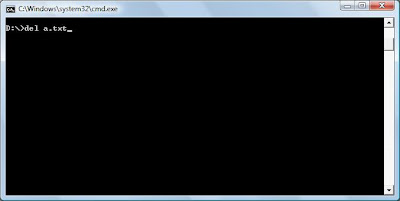
DEL Delete one or more files.
DELPROF Delete NT user profiles.
DELTREE Delete a folder and all subfolders
DevCon Device Manager Command Line Utility.
DIR Display a list of files and folders.
DIRUSE Display disk usage.
DISKCOMP Compare the contents of two floppy disks.
DISKCOPY Copy the contents of one floppy disk to another.
DISKPART Disk Administration.
DNSSTAT DNS Statistics.
DOSKEY Edit command line, recall commands, and create macros.
DSADD Add user (computer, group..) to active directory.
DSQUERY List items in active directory.
DSMOD Modify user (computer, group..) in active directory.
e
CHO Display message on screen.
ENDLOCAL End localisation of environment changes in a batch file.
ERASE Delete one or more files.
EXIT Quit the current script/routine and set an errorlevel.
EXPAND Uncompress file.
EXTRACT Uncompress CAB files.
f
FC Compare two files.
FIND Search for a text string in a file.
FINDSTR Search for strings in files.
FOR /F Loop command: against a set of files.
FOR /F Loop command: against the results of another command.
FOR Loop command: all options Files, Directory, List.
FORFILES Batch process multiple files.
FORMAT Format a disk.
FREEDISK Check free disk space (in bytes).
FSUTIL File and Volume utilities.
FTP File Transfer Protocol.
FTYPE Display or modify file types used in file extension associations.
g
GLOBAL Display membership of global groups.
GOTO Direct a batch program to jump to a labelled line.
h
HELP Online Help.
i
IF Conditionally perform a command.
IFMEMBER Is the current user in an NT Workgroup.
IPCONFIG Configure IP.
k
KILL Remove a program from memory.
l
LABEL Edit a disk label.
LOCAL Display membership of local groups.
LOGEVENT Write text to the NT event viewer.
LOGOFF Log a user off
LOGTIME Log the date and time in a file
m
MAPISEND Send email from the command line.
MBSAcli Baseline Security Analyzer.
MEM Display memory usage.
MD Create new folders.
MKLINK Create a symbolic link (linkd).
MODE Configure a system device.
MORE Display output, one screen at a time.
MOUNTVOL Manage a volume mount point.
MOVE Move files from one folder to another.
MOVEUSER Move a user from one domain to another.
MSG Send a message.
MSIEXEC Microsoft Windows Installer.
MSINFO Windows NT diagnostics.
MSTSC Terminal Server Connection (Remote Desktop Protocol).
MUNGE Find and Replace text within file(s).
MV Copy in-use files.
n
NET Manage network resources.
NETDOM Domain Manager.
NETSH Configure network protocols.
NETSVC Command-line Service Controller.
NBTSTAT Display networking statistics (NetBIOS over TCP/IP).
NETSTAT Display networking statistics (TCP/IP).
NOW Display the current Date and Time.
NSLOOKUP Name server lookup.
NTBACKUP Backup folders to tape.
NTRIGHTS Edit user account rights.
p
PATH Display or set a search path for executable files.
PATHPING Trace route plus network latency and packet loss.
PAUSE Suspend processing of a batch file and display a message.
PERMS Show permissions for a user.
PERFMON Performance Monitor.
PING Test a network connection.
POPD Restore the previous value of the current directory saved by PUSHD.
PORTQRY Display the status of ports and services.
PRINT Print a text file.
PRNCNFG Display, configure or rename a printer.
PRNMNGR Add, delete, list printers set the default printer.
PROMPT Change the command prompt.
PsExec Execute process remotely.
PsFile Show files opened remotely.
PsGetSid Display the SID of a computer or a user
PsInfo List information about a system.
PsKill Kill processes by name or process ID.
PsList List detailed information about processes.
PsLoggedOn Who's logged on (locally or via resource sharing).
PsLogList Event log records.
PsPasswd Change account password.
PsService View and control services.
PsShutdown Shutdown or reboot a computer.
PsSuspend Suspend processes.
PUSHD Save and then change the current directory.
q
QGREP Search file(s) for lines that match a given pattern.
r
RASDIAL Manage RAS connections.
RASPHONE Manage RAS connections.
RECOVER Recover a damaged file from a defective disk..
REG Registry: Read, Set, Export, Delete keys and values.
REGEDIT Import or export registry settings.
REGSVR32 Register or unregister a DLL.
REGINI Change Registry Permissions.
REM Record comments (remarks) in a batch file.
REN Rename a file or files.
REPLACE Replace or update one file with another.
RD Delete folder(s).
RMTSHARE Share a folder or a printer.
ROBOCOPY Robust File and Folder Copy.
ROUTE Manipulate network routing tables.
RUNAS Execute a program under a different user account.
RUNDLL32 Run a DLL command (add/remove print connections).
s
SC Service Control.
SCHTASKS Create or Edit Scheduled Tasks.
SCLIST Display NT Services.
SET Display, set, or remove environment variables.
SETLOCAL Control the visibility of environment variables.
SETX Set environment variables permanently.
SHARE List or edit a file share or print share.
SHIFT Shift the position of replaceable parameters in a batch file.
SHORTCUT Create a windows shortcut (.LNK file).
SHOWGRPS List the NT Workgroups a user has joined.
SHOWMBRS List the Users who are members of a Workgroup.
SHUTDOWN Shutdown the computer.
SLEEP Wait for x seconds.
SOON Schedule a command to run in the near future.
SORT Sort input.
START Start a program or command in a separate window
SU Switch User.
SUBINACL Edit file and folder Permissions, Ownership and Domain
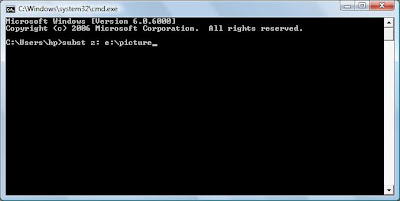
SUBST Associate a path with a drive letter.
SYSTEMINFO List system configuration.
t
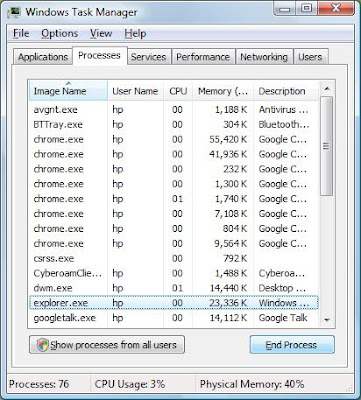
TASKLIST List running applications and services.
TASKKILL Remove a running process from memory.
TIME Display or set the system time.
TIMEOUT Delay processing of a batch file.
TITLE Set the window title for a CMD.EXE session.
TLIST Task list with full path.
TOUCH Change file timestamps.
TRACERT Trace route to a remote host.
TREE Graphical display of folder structure.
TYPE Display the contents of a text file.
u
USRSTAT List domain usernames and last login.
v
VER Display version information.
VERIFY Verify that files have been saved.
VOL Display a disk label.
w
WHERE Locate and display files in a directory tree.
WHOAMI Output the current UserName and domain.
WINDIFF Compare the contents of two files or sets of files.
WINMSD Windows system diagnostics.
WINMSDP Windows system diagnostics II.
WMIC WM I Commands.
x
XCACLS Change file permissions.
XCOPY Copy files and folders.